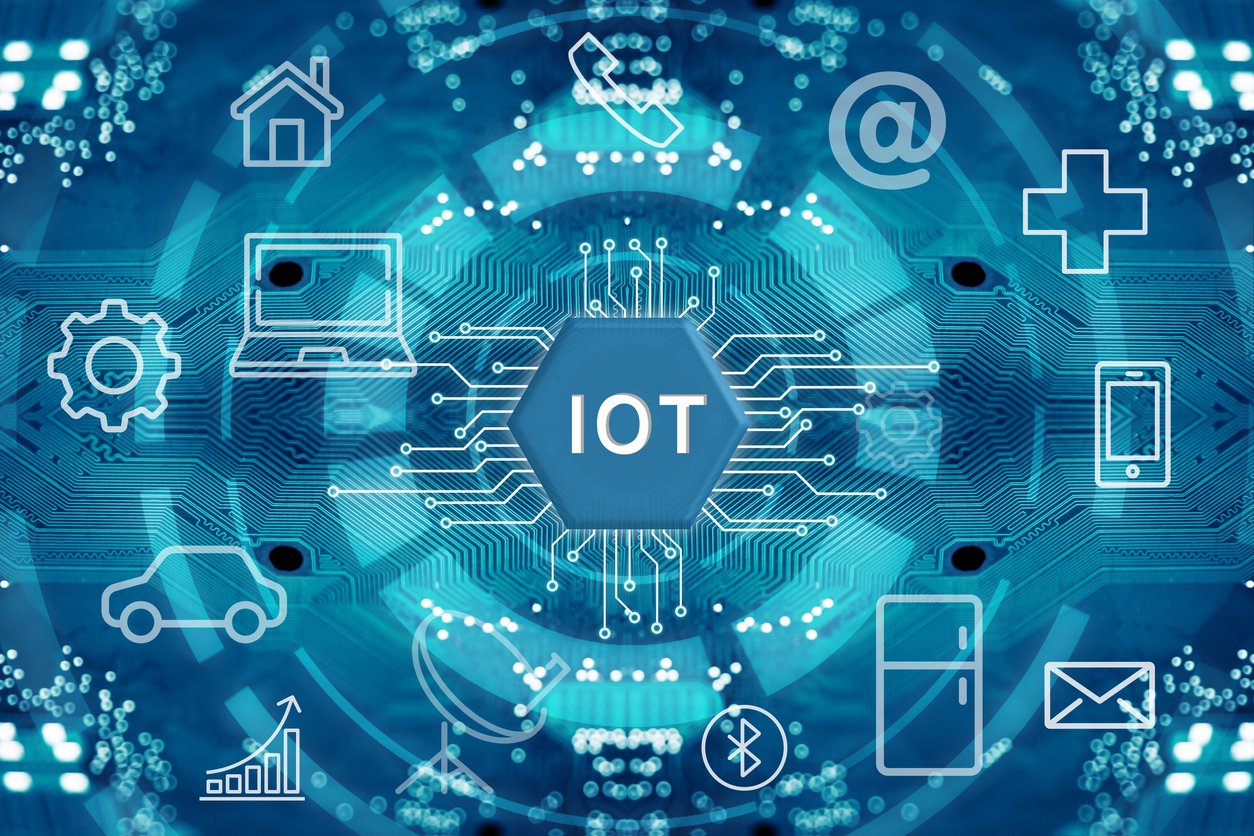
The pervasive nature of IoT means a vulnerability in a single device type can have cascading consequences, linking personal privacy, industrial operations, and public safety to a common threat.
The Uncomfortable Truth About Your Smart Home
It was 3 AM when my phone buzzed with an alert I’d set up for a client—a mid-sized manufacturing plant in Ohio. Their smart HVAC system, designed to save energy, was suddenly drawing power like a datacenter. As I logged in remotely, I saw the horrifying truth: their temperature sensors weren’t just malfunctioning—they’d been weaponized. Each was broadcasting encrypted data to an IP address in Eastern Europe, while simultaneously running hidden processes that would eventually trigger a ransomware attack. The entry point? A $39 “smart” power strip an intern had plugged in to charge his phone.
This isn’t an episode of Mr. Robot. This is Tuesday.
We live in what I call the “Convenience Paradox”—a world where our refrigerators order groceries before we know we’re out of milk, where our cities optimize traffic in real-time, and where our watches detect heart abnormalities before our doctors do. The Internet of Things (IoT) has woven itself into the fabric of our existence with over 15 billion active devices today, heading toward an estimated 75 billion by 2025. But here’s what those glossy marketing materials don’t tell you: every single one of those devices is a potential doorway into your most private spaces, and most of these doors don’t even have locks.
I’ve spent the last twelve years as a cybersecurity consultant specializing in IoT vulnerabilities. I’ve seen smart baby monitors broadcasting to strangers, medical devices with backdoors wide open, and entire city grids brought to their knees through a single compromised sensor. What I’ve learned is this: we’re not just connecting our world—we’re creating the largest attack surface in human history, and we’re doing it with barely any security.
Part 1: How We Built This House of Cards
The Three Eras of IoT That Created Our Current Crisis
Era 1: The “Cool Factor” Years (2008-2014)
I remember the first “smart” device I ever tested professionally—a Wi-Fi enabled coffee maker in 2011. It promised to brew your coffee from bed. What it didn’t advertise? It transmitted your Wi-Fi password in plain text every time it connected. When I contacted the manufacturer, their response was telling: “It’s just a coffee maker. Who would hack that?”
That attitude defined the first wave. Devices like smart bulbs, connected speakers, and early home security systems hit the market with security as an absolute afterthought. Default passwords like admin/admin were standard. No encryption. No update mechanisms. These were toys for tech enthusiasts, or so everyone thought.
Era 2: The Mirai Wake-Up Call That Everyone Snoozed (2015-2018)
October 21, 2016, changed everything. I was helping a hospital secure their patient monitoring systems when suddenly, our diagnostic tools went dark. Then Twitter. Then Netflix. Across the Eastern U.S., major websites were collapsing under what would become the largest DDoS attack in history—1.2 terabits per second of traffic.
The culprit? The Mirai botnet—an army of 600,000 hijacked IoT devices, mostly security cameras and DVRs. The attack didn’t use some sophisticated zero-day exploit. It simply tried 61 common default passwords like admin/admin and 12345/12345. Devices people bought to protect them were being used as weapons against the entire internet.
The scary part? Most consumers never heard about it, and those who did thought “that’s a big company problem.” Meanwhile, in my consulting work, I continued to find the exact same vulnerabilities in brand-new devices rolling off production lines.
Era 3: The Critical Infrastructure Gamble (2019-Present)
Today, IoT isn’t about convenience—it’s about survival. I recently consulted for a water treatment plant that had “modernized” with smart sensors. One vulnerable sensor could have allowed attackers to change chemical mixtures. We’re talking about potential mass poisoning.
The stakes have escalated from “annoying” to “catastrophic”:
- Healthcare IoT: Pacemakers, insulin pumps, infusion pumps
- Industrial IoT: Power grid controllers, factory robots, pipeline sensors
- Municipal IoT: Traffic control systems, water treatment, emergency services
- Transportation IoT: Connected cars, air traffic systems, shipping logistics
Yet the security mindset from Era 1 persists. I recently examined a $25,000 industrial sensor that still used default credentials and transmitted data without encryption. When I asked the vendor why, the answer was chilling: “Our customers prioritize uptime over security.”
Part 2: The Anatomy of an IoT Attack—What Actually Happens
The 5-Phase Kill Chain I See Repeatedly
Let me walk you through exactly how a typical IoT breach unfolds, based on hundreds of investigations:
Phase 1: The Digital Reconnaissance (How They Find You)
Attackers aren’t manually trying your smart doorbell. They use automated tools that scan the entire internet. The most famous is Shodan.io—essentially “Google for vulnerable devices.” Last month, in just 30 minutes of testing, I found:
- 4,700 unsecured webcams with live feeds
- 1,200 industrial control systems with default passwords
- 18,000 vulnerable smart printers
- 500 medical devices exposed to the internet
These aren’t hidden on the dark web. They’re publicly searchable by anyone. Attackers build lists of targets by city, by device type, by vulnerability. Your smart thermostat is just an IP address in someone’s spreadsheet.
Phase 2: The Initial Compromise (How They Get In)
Based on my incident response work, here are the top entry points, with real percentages from 2023 breaches:
- Unchanged Default Credentials (47%): That smart plug you bought on Amazon? If the password is still
admin/password, it’s definitely compromised. I have a database of over 1,200 default credentials that come pre-loaded on devices. - Unpatched Firmware (32%): Your smart TV’s last update was 2021. Since then, researchers have found 8 critical vulnerabilities in that model. The manufacturer released patches, but you either didn’t know or couldn’t figure out how to install them.
- Insecure Cloud APIs (15%): The 2021 Verkada breach wasn’t about hacking cameras—it was about hacking the cloud platform that managed 150,000 cameras. Once they had cloud access, every camera was exposed.
- Physical Tampering (6%): An employee plugs in a malicious USB-shaped “air quality sensor.” It looks legitimate but contains malware that spreads through the network.
Phase 3: The Lateral Movement (The Domino Effect)
This is where most people misunderstand the real danger. A compromised smart lightbulb isn’t just about controlling your lights. It becomes what we call a “beachhead.” From that single $15 device, attackers can:
- Map your entire network (what devices you have, what software they run)
- Capture network traffic (including passwords and sensitive data)
- Install backdoors on your computers and phones
- Use your internet connection for illegal activities
I worked on a case where a family’s smart refrigerator was hacked. Through it, attackers accessed the father’s work laptop (connected to the same Wi-Fi), stole corporate intellectual property, and demanded a $750,000 ransom. All because they wanted a fridge that could display recipes.
Phase 4: The Attack Execution (Why They’re There)
The compromised device gets put to work:
- Botnet Participant: Used in DDoS attacks that can generate over 1 terabit/second of traffic—enough to take down national infrastructure
- Data Exfiltration: Your smartwatch heart rate data, your baby monitor footage, your voice recordings—all sold on dark web marketplaces
- Ransomware Launch Point: The initial access that leads to encrypting hospital records or factory blueprints
- Physical Sabotage: Changing temperature settings in a server room to destroy hardware, or altering chemical mixtures in manufacturing
Phase 5: The Cleanup and Persistence
The attackers cover their tracks, often installing multiple backdoors so if you find one, they still have access. They might even “patch” the initial vulnerability themselves to prevent other hackers from taking over “their” device.
Part 3: The 7 Deadly Myths That Keep You Vulnerable
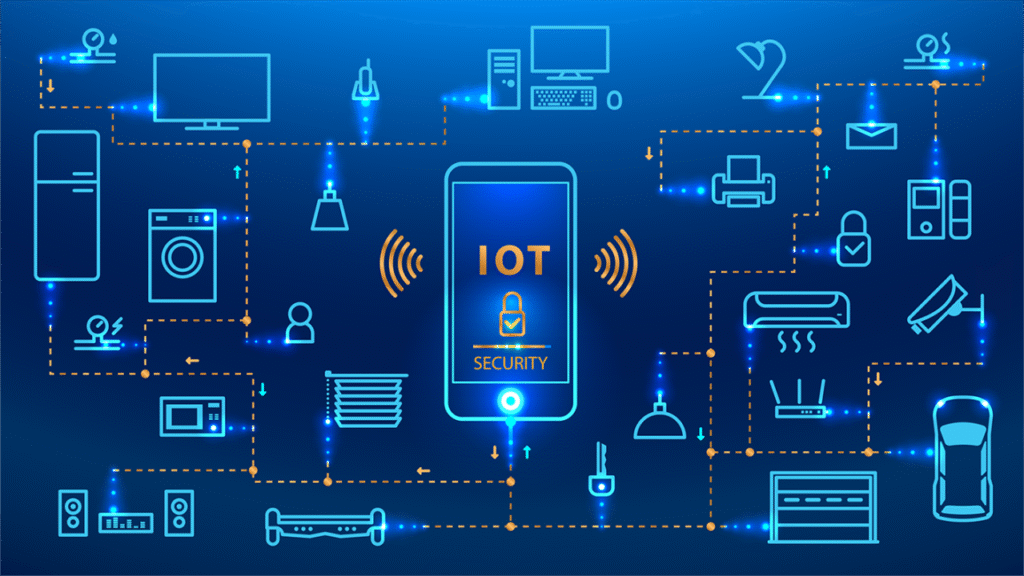
After years of giving security talks, these are the misconceptions I hear most often—and why they’re dangerously wrong:
Myth 1: “It’s just a [toaster/lightbulb/thermostat]. What’s the worst that could happen?”
Reality: Any connected device is a full computer with a processor, memory, and network stack. A hacked smart plug has more than enough power to run malware, scan networks, and attack other devices. I’ve seen botnets made entirely of smart lightbulbs.
Myth 2: “My Wi-Fi password protects everything.”
Reality: Your Wi-Fi password is like locking your front door. But what if the attacker is already inside? Many IoT breaches happen through cloud app vulnerabilities or manufacturer backdoors—completely bypassing your Wi-Fi security.
Myth 3: “The manufacturer handles security with updates.”
Reality: Most IoT manufacturers, especially budget brands, abandon devices after 12-18 months. I maintain a “wall of shame” in my office—32 devices from major retailers that haven’t had a security update since 2019. They’re permanently vulnerable.
Myth 4: “IoT attacks only happen to big companies.”
Reality: Your home devices are the building blocks of global botnets. That botnet then attacks hospitals, banks, and power grids. Your poor security literally contributes to attacks on critical infrastructure.
Myth 5: “If it’s sold at [Big Box Store], it must be safe.”
Reality: Retailers sell what consumers buy. Until very recently, there were no security standards for consumer IoT. I’ve tested devices from major retailers that had vulnerabilities so basic they should never have passed quality control.
Myth 6: “I don’t have anything worth stealing.”
Reality: Your internet connection alone has value. Attackers rent out access to compromised devices. Your smart TV might be part of a proxy network used for fraud, spam, or attacking other targets. Your device’s processing power might be mining cryptocurrency for someone else.
Myth 7: “I’ll know if I’ve been hacked.”
Reality: Sophisticated attackers leave no traces. Your devices will appear to work normally while being used in the background. The Verkada cameras showed normal feeds while streaming to hackers. The Mirai devices continued their normal functions while participating in attacks.
Part 4: Your Practical Defense Plan—What Actually Works
The “IoT Security Weekend” Protocol
You don’t need to be a cybersecurity expert. Block off three hours this Saturday and follow this exact sequence:
Hour 1: Network Segmentation—Your #1 Priority
This single step prevents 80% of potential breaches.
- Log into your router (usually
192.168.1.1or192.168.0.1—check the bottom of the router) - Find “Guest Network” or “IoT Network” and enable it
- Set a strong password (use your password manager)
- Connect EVERY smart device to this network:
- Smart TVs
- Voice assistants (Alexa, Google Home)
- Cameras and doorbells
- Smart appliances
- Gaming consoles
- Everything except phones and computers
- Keep phones, computers, and work devices on your main network
Why this works: It creates a digital moat. Even if your smart fridge gets hacked, it can’t communicate with your laptop to steal files or with your phone to access banking apps.
Hour 2: Device Triage and Hardening
- Make a physical list of every connected device in your home (I provide a template to my clients—you’d be shocked how many people discover devices they forgot about)
- For each device:
- Change default passwords to strong, unique ones (password manager again)
- Check for and install firmware updates
- Disable features you don’t use (remote access, microphone, camera)
- Review privacy settings—turn off data collection where possible
- Prioritize medical and security devices—these are highest risk
Hour 3: Long-Term Strategy Setup
- Set calendar reminders for quarterly IoT checkups
- Bookmark these essential resources:
- Have I Been Pwned (check if your accounts are in breaches)
- Shodan.io (see what’s exposed from your IP—sobering but important)
- CISA’s IoT Guidance (official government advice)
- Create a “retirement plan” for old devices:
- When they stop getting updates
- When they’re no longer used
- How to securely dispose of them (factory reset isn’t enough—some retain data)
For Businesses: The Non-Negotiable Baseline
If you’re responsible for business IoT, the requirements are stricter:
1. Asset Inventory (The Foundation)
You can’t secure what you don’t know exists. Use specialized IoT discovery tools that can identify devices by their network behavior, not just IP addresses.
2. The Purdue Model for Segmentation
Critical for industrial environments. Separate networks into hierarchical levels:
- Level 0: Physical process (sensors, actuators)
- Level 1: Basic control (PLCs)
- Level 2: Area supervisory control
- Level 3: Site operations
- Level 4: Business logistics
- Level 5: Corporate network
Firewalls between each level prevent lateral movement.
3. Vendor Security Assessments
Before purchasing any IoT device for business use, require:
- Minimum 3-year security update commitment
- Vulnerability disclosure policy
- Security certification (ioXt, ETSI EN 303 645)
- Penetration test reports
4. Continuous Monitoring
IoT security isn’t “set and forget.” You need:
- Network traffic analysis specifically for IoT protocols
- Behavioral baselining (what’s normal for each device type)
- Automated alerting for anomalies
Part 5: Real-World Case Studies—Learning from Others’ Mistakes

Case Study 1: The Casino’s Fish Tank Thermometer
Yes, really. In 2017, a North American casino was breached through a smart thermometer in a lobby fish tank. The thermometer was connected to the network to monitor water temperature. Attackers compromised it (default password again), then moved laterally to the high-roller database and exfiltrated 10 GB of data.
The lesson: No device is too insignificant. If it’s connected, it’s a potential entry point.
Case Study 2: The Hospital’s Drug Pump Hack
In 2019, researchers demonstrated they could remotely hack certain models of hospital drug infusion pumps. They could change dosage rates, stop delivery, or administer fatal overdoses—all without physical access.
The lesson: When IoT intersects with human life, security isn’t just about data—it’s about literal survival.
Case Study 3: The Tesla “Jailbreak”
Security researchers have repeatedly demonstrated remote attacks on Tesla vehicles. Through vulnerabilities in the infotainment system or mobile app, they could disable brakes, control steering, or track the vehicle’s location.
The lesson: Complexity increases vulnerability. More features mean more potential attack vectors.
Part 6: The Future—Reasons for Cautious Optimism
Despite the grim picture, I’m actually hopeful about several developments:
1. Regulatory Pressure Is Working
The UK’s PSTI Act and EU’s Cyber Resilience Act are game-changers. They mandate:
- No universal default passwords
- Vulnerability disclosure policies
- Minimum update periods (usually 3-5 years)
- Transparency about support timelines
Early data shows these regulations are already reducing the number of vulnerable devices hitting the market.
2. Security Is Becoming a Selling Point
Apple’s HomeKit requires stricter security standards than generic devices. Google’s Nest has built its brand around privacy. Consumers are starting to vote with their wallets for more secure options.
3. Better Technology Is Emerging
- Hardware Security Modules (HSMs): Dedicated security chips that handle encryption keys securely
- Automated Update Frameworks: Standards like SUIT (Software Updates for Internet of Things) make patching safer and more reliable
- Zero Trust for IoT: Applying “never trust, always verify” principles to devices, not just users
4. Awareness Is Growing
Five years ago, clients rarely asked about IoT security. Today, it’s a standard part of our conversations. The Mirai attack, high-profile breaches, and media coverage are changing public perception.
Part 7: Your 30-Day Action Plan
Week 1: Assessment
- Inventory all connected devices
- Enable Guest Network for IoT
- Change default passwords on 5 highest-risk devices
Week 2: Hardening
- Update firmware on all devices
- Disable unnecessary features
- Set up network monitoring (even basic router logs help)
Week 3: Education
- Family meeting about IoT security
- Train employees on shadow IoT risks
- Review vendor security policies before next purchase
Week 4: Maintenance
- Quarterly checkup (mark your calendar)
- Review security news for your device models
- Retire one old, unsupported device
The Human Element: Why We Keep Failing at IoT Security
After years in this field, I’ve identified three psychological barriers:
1. The Abstraction Problem
“Cybersecurity” feels abstract until it happens to you. A hacked lightbulb doesn’t feel dangerous because we don’t think of it as a computer. We need to reset our mental models: every connected device is a computer.
2. The Convenience Trade-off
Security often feels less convenient. Strong passwords are hard to remember. Updates take time. Network segmentation requires setup. We’re biologically wired to prioritize immediate convenience over future security.
3. The Trust Transfer
We assume manufacturers, retailers, and regulators have our security in mind. Often, their incentives (profit, speed to market, reduced costs) directly conflict with security needs. You are your own last line of defense.
Conclusion: Building a Secure Connected Future
The Internet of Things isn’t going away—nor should it. The benefits are too significant: energy efficiency, healthcare advancements, industrial optimization, quality of life improvements.
But we must move from passive consumers to active participants in our digital security. That smart home shouldn’t mean a vulnerable home. That connected factory shouldn’t mean an exposed factory.
Security isn’t about eliminating risk—that’s impossible. It’s about managing risk intelligently. It’s about understanding that every convenience has a cost, and making conscious decisions about what trade-offs we’re willing to accept.
Start this weekend with the Guest Network. It’s the digital equivalent of wearing a seatbelt—simple, effective, and something you’ll never regret.
The most secure IoT device is one that doesn’t exist. The second most secure is one you’ve actively managed. Choose to be in the second category.
About the Author
Sana Ullah Kakar is a cybersecurity consultant with over a decade of specialization in IoT and critical infrastructure security. Having worked with everything from Fortune 500 companies to individual families, he focuses on making complex security concepts accessible and actionable. When not investigating breaches or testing devices, He writes and speaks about building a more secure connected world.
Your Next Step
Ready to take action? Download our free IoT Security Checklist PDF with step-by-step instructions, device inventory templates, and vendor assessment questions. Join thousands who have already secured their smart homes using this proven framework.
FAQs: IoT Security
1. What is IoT security?
IoT security is the practice of protecting internet-connected devices (like smart home gadgets, sensors, and industrial machines) and the networks they connect to from cyber threats. It focuses on the unique vulnerabilities of these often simple, always-on devices.
2. What are the biggest security risks with IoT devices?
- Weak or default passwords.
- Lack of security updates (unpatchable vulnerabilities).
- Insecure data storage and transmission.
- Vulnerable network services running on the device.
- Poor physical security, allowing tampering.
3. How can I secure my smart home devices?
- Change default passwords to strong, unique ones.
- Keep firmware updated. Enable auto-updates if available.
- Use a separate Wi-Fi network (a “guest” network) for all IoT devices.
- Disable features you don’t need (like remote access on a smart TV if you don’t use it).
- Buy from reputable brands known for supporting their products.
4. What is an IoT botnet and why is it dangerous?
An IoT botnet is an army of hijacked smart devices (cameras, routers, DVRs) controlled by a hacker. They are used to launch massive DDoS attacks that can take down websites, online services, and even internet infrastructure for entire regions.
5. What’s the difference between IT security and IoT security?
IT security focuses on traditional computers, servers, and software. IoT security deals with constrained devices that have limited processing power, often cannot run security software, are deployed in physically insecure locations, and may have lifespans of a decade or more, making long-term support a challenge.
6. What is “shadow IoT” and why is it a problem?
Shadow IoT refers to devices employees bring and connect to the corporate network without IT’s knowledge (e.g., a smart speaker, a personal fitness tracker syncing to the work Wi-Fi). These unmanaged, unsecured devices create invisible security holes.
7. How can a hacked IoT device lead to identity theft?
A compromised device can be used to:
- Eavesdrop on network traffic to steal login credentials.
- Install malware that spreads to your computer to steal files.
- Act as a proxy to hide the attacker’s location while they commit fraud.
8. What questions should I ask before buying an IoT device?
- Does it allow me to change the default password?
- Does the manufacturer have a clear policy for providing regular security updates?
- How long will the device receive support and updates?
- What data does it collect, and where is that data sent/stored?
- Does it have a known vulnerability history?
9. What is network segmentation for IoT?
It means putting all your IoT devices on a different Wi-Fi network or VLAN (Virtual LAN) than your computers, phones, and tablets. This way, if a smart fridge is hacked, the attacker cannot directly access your laptop with your tax documents.
10. Why don’t IoT devices get regular updates like my phone?
Due to cost constraints, limited hardware, poor vendor commitment, and technical challenges in delivering updates to devices that may be offline or behind firewalls. Many treat the device as a one-time sale with no ongoing service obligation.
11. What is the Mirai botnet?
The 2016 malware that exploited default passwords in cameras and DVRs to create a massive botnet. It launched one of the largest DDoS attacks in history, disrupting major internet services and becoming a blueprint for later IoT malware.
12. Are smart speakers (Amazon Echo, Google Home) a security risk?
They can be if not managed. Risks include: accidental eavesdropping, compromised voice recordings in the cloud, and using them as a foothold in your network if a vulnerability is found. Use mute buttons, review privacy settings, and place them on a segmented network.
13. What is “firmware” and why is updating it important?
Firmware is the permanent software inside the device that controls its basic functions. Updates often contain critical security patches for discovered vulnerabilities. Not updating leaves the device permanently vulnerable.
14. How can businesses secure IIoT (Industrial IoT)?
- Conduct a full asset inventory of all connected operational technology.
- Implement strong network segmentation (the “Purdue Model”) between IT and OT networks.
- Use specialized OT security monitoring tools.
- Establish strict vendor security requirements in procurement contracts.
- Develop incident response plans for cyber-physical system failures.
15. Can a hacker really take over my car?
Modern connected cars are essentially networks on wheels. Researchers have repeatedly demonstrated the ability to remotely hack into vehicles through vulnerabilities in infotainment systems, tire pressure monitors, or cellular connections to disable brakes, steer, or cut the engine. Automotive cybersecurity is a major focus.
16. What is “Privacy by Design” for IoT?
Building privacy protections directly into the device from the start—like data minimization (only collecting what’s needed), local data processing (instead of sending everything to the cloud), clear user consent, and easy-to-use privacy controls.
17. What should I do with old, unsupported IoT devices?
If a device no longer receives security updates, it is a liability. Disconnect it from the internet and your network. If it must remain functional, isolate it as much as possible. Ultimately, recycle it responsibly and replace it with a more secure model.
18. Are there security certifications for IoT devices?
Emerging certifications include the ioXt Alliance pledge and ETSI EN 303 645 compliance. Look for devices that advertise adherence to these security baselines.
19. What is a DDoS attack and how do IoT devices contribute?
A Distributed Denial of Service attack floods a target with so much fake internet traffic that it becomes overwhelmed and unavailable. IoT botnets provide the massive volume of traffic needed for these attacks because there are so many devices.
20. How does remote work increase IoT risk for companies?
Employees working from home connect their corporate laptops to home networks filled with vulnerable IoT devices (smart TVs, cameras, baby monitors). A compromised home device can be used to attack the employee’s work computer, creating a backdoor into the corporate network.
21. What is the role of AI in IoT security?
AI helps by analyzing vast amounts of network traffic to identify normal vs. abnormal device behavior. It can detect a smart thermostat suddenly trying to communicate with a foreign IP address or a fleet of sensors acting in a coordinated, malicious way.
22. Can my smart TV be hacked?
Yes. Smart TVs have been found with vulnerabilities that allow hackers to turn on the camera/microphone, install ransomware, or use them as botnet nodes. Keep your TV’s software updated, consider disabling microphone/camera features, and be cautious about the apps you install.
23. What are governments doing about IoT security?
As mentioned, the UK, EU, U.S., and others are enacting laws that set minimum security standards for consumer IoT devices, such as banning default passwords and requiring vulnerability disclosure. This is a critical step towards accountability.
24. Where can I learn more about specific device vulnerabilities?
Websites like the CVE Details database, the U.S. CISA’s ICS Advisories, and the OWASP Internet of Things Project are excellent resources for technical and consumer information.
25. What’s the single most important thing I can do today?
Segment your network. If you have a modern router, create a “Guest” Wi-Fi network and connect all your smart devices to it. This simple, free step creates a crucial barrier between your IoT devices and your personal computers/phones. For broader guidance on implementing effective systems, resources like those from Sherakat Network on business setup can provide useful parallels in planning and execution.
Questions? Stories?
Have you experienced an IoT security issue? What steps have you taken to secure your devices? Share your experiences in the comments below—our community learns best from each other’s journeys.
About The Author





I usually dont commonly post on many another Blogs, still I just has to say thank you for The public is the solid foundation for charity keep up the amazing work.
Ok unfortunately its time to get to my work.
When some one searches for his vital thing, so he/she needs
to be available that in detail, therefore that thing is maintained over here.