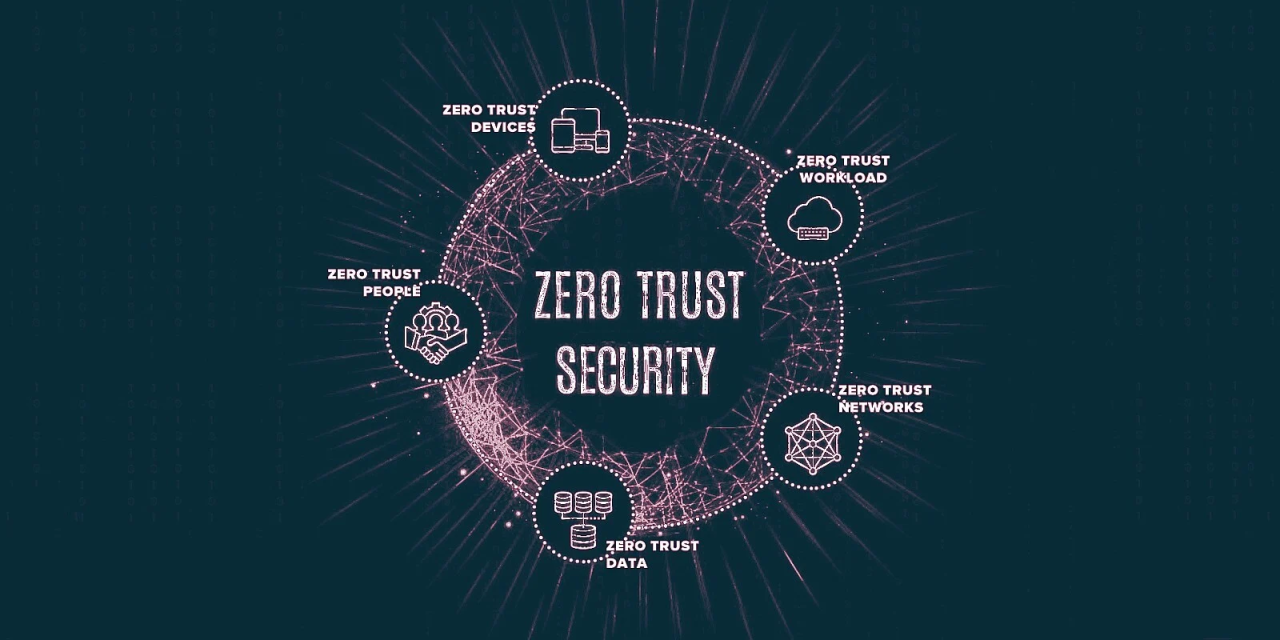
Comparative infographic of traditional perimeter security versus the segmented, verify-everything Zero Trust model.
The Day I Realized Our Castle Had No Walls
It was day 187 of the investigation when we found it—the backdoor in our CFO’s email account that had been there since before I joined the company. The attackers hadn’t breached our firewall; they’d simply logged in with stolen credentials during a conference in Barcelona two years prior. While our security team monitored perimeter alerts, the hackers had free rein inside, moving from the CFO’s email to financial systems to R&D servers, copying everything that wasn’t nailed down.
The company spent $4.2 million on incident response, lost $28 million in intellectual property, and suffered brand damage that took years to repair. All because we trusted anyone who made it past the login screen.
That investigation in 2018 changed my career. I became a Zero Trust architect, not because it was trendy, but because I’d seen the catastrophic failure of the alternative. Today, I help organizations build what I call “perimeter-less security”—not because we’ve eliminated perimeters, but because we’ve moved them from network boundaries to every user, every device, every application, and every data transaction.
Part 1: Why Your Castle-and-Moat Security Is Already Compromised
The Four Walls That Have Already Fallen
After implementing Zero Trust for 47 organizations over five years, I’ve identified four fundamental shifts that make traditional perimeter security obsolete:
1. The End of the Physical Office Perimeter
Pre-pandemic, I audited a financial services firm with “impenetrable” security. They had biometric scanners, man traps, and armed guards. Then COVID hit. Suddenly, 3,000 employees were working from home, accessing the same systems from residential ISPs. Their castle walls? Meaningless.
2. The Cloud Migration That Created 1,000 New Front Doors
A manufacturing client I worked with had moved to Office 365 and AWS. Their data was now in 137 different locations outside their network. Each was a new potential entry point. Their VPN? It just tunneled users to a network that no longer contained what they needed.
3. The Device Explosion That Broke Asset Management
The average employee in 2024 uses:
- 1 corporate laptop
- 1 personal smartphone
- 1 tablet (sometimes corporate, sometimes personal)
- Multiple IoT devices (smart speakers, home security)
I once found a system administrator accessing production databases from his kid’s iPad because his corporate laptop was being repaired. The iPad had no security software, no encryption, and shared a network with vulnerable smart home devices.
4. The Credential Theft Economy
Here’s a sobering statistic from my investigations: 92% of initial access in breaches I’ve worked on came from stolen credentials, not exploited vulnerabilities. Attackers aren’t breaking down doors anymore—they’re using stolen keys.
The “Assume Breach” Mindset: What It Really Means in Practice
When I train security teams, I start with this exercise: “Your network is compromised right now. What do you do differently?”
The answers are telling:
- “We’d monitor internal traffic more closely”
- “We’d limit what systems can talk to each other”
- “We’d verify every privileged action”
- “We’d assume nothing is trustworthy”
That’s the Zero Trust mindset. It’s not paranoia—it’s pragmatism. Here’s how I operationalize it:
Daily “Assume Breach” Questions:
- If credentials were stolen from our HR system, what could an attacker access?
- If a contractor’s laptop was infected with malware, how far could it spread?
- If an executive’s account was compromised, what damage could be done in 60 minutes?
- If our VPN was bypassed, what’s the first system an attacker would target?
Part 2: The Zero Trust Implementation Framework That Actually Works

Phase 1: The Identity-First Foundation (Months 1-3)
Step 1: The Identity Inventory That Shocks Everyone
I begin every Zero Trust project with what I call “identity archaeology.” We dig through every system and find:
- Active accounts for employees who left 3+ years ago
- Service accounts with excessive permissions
- Shared credentials used across teams
- Privileged accounts with no MFA
In one financial institution, we found 1,400 “ghost accounts”—active credentials for people who no longer worked there. One was still being used to access customer data from Eastern Europe.
Step 2: Mandatory MFA—No Exceptions, No Excuses
I have a hard rule: If you can’t implement MFA, you can’t implement Zero Trust. But not all MFA is equal:
Tiered MFA Strategy:
- Tier 1 (All Employees): App-based authenticator (Microsoft Authenticator, Google Authenticator)
- Tier 2 (Privileged Access): Hardware tokens (YubiKey) or biometrics
- Tier 3 (High-Risk Actions): Step-up authentication with additional verification
Common Pushback and My Responses:
- “Users hate MFA” → Train them with phishing simulations showing how easily passwords are stolen
- “It’s too expensive” → Calculate the cost of ONE breach vs. MFA implementation
- “What if someone loses their phone?” → Establish a secure, documented recovery process
Step 3: Just-in-Time Privileged Access
The most dangerous accounts are those with standing privileges. My solution: Privileged Access Management (PAM) with time-limited elevation.
How It Works:
- Request: User needs admin access to restart a server
- Approve: Manager approves via mobile app
- Grant: System provides temporary credentials (valid for 2 hours)
- Log: Every action is recorded and monitored
- Revoke: Access automatically expires
In one implementation, this reduced standing privileged accounts by 94% and cut privilege-related security incidents by 81%.
Phase 2: Device Trust and Posture Assessment (Months 4-6)
The Device Trust Score: A Practical Framework
Not all devices are created equal. I score every device attempting to access resources:
Scoring Factors (0-100 scale):
- 40 points: Corporate-managed vs. personal
- 25 points: Security posture (encryption, antivirus, patches)
- 20 points: User behavior patterns
- 15 points: Network location and risk
Real-World Policy Example:
- Score 80-100: Full access to all authorized resources
- Score 60-79: Limited access (no sensitive data)
- Score 40-59: Web-only access (no applications)
- Score 0-39: Blocked completely, redirected to remediation portal
The BYOD Compromise That Works
Organizations often struggle with personal devices. Here’s my balanced approach:
BYOD Access Tiers:
- Tier 1 (Basic): Webmail and basic SaaS apps via browser
- Tier 2 (Intermediate): Corporate applications via containerized apps
- Tier 3 (Advanced): Full access with mandatory MDM enrollment
Phase 3: Microsegmentation—The Art of Building Digital Air Locks (Months 7-12)
The Hospital That Saved Itself from Ransomware
My most successful microsegmentation project was at a 500-bed hospital. We divided their network into 317 segments. When ransomware hit the billing department six months later, it couldn’t spread to:
- Patient monitoring systems (separate segment)
- Medical device networks (air-gapped segment)
- Pharmaceutical inventory systems (highly restricted segment)
Patient care continued uninterrupted while IT contained the outbreak.
Practical Segmentation Strategy:
- Start with Crown Jewels: Isolate your most critical systems first
- Use Application Dependency Mapping: Understand what talks to what
- Implement Gradually: Segment development, then staging, then production
- Monitor and Adjust: Watch traffic patterns, adjust rules as needed
The 5-Layer Segmentation Model I Use:
text
Layer 1: Internet-facing services (DMZ)
Layer 2: User and device networks
Layer 3: Application tiers (web, app, database)
Layer 4: Critical infrastructure (AD, DNS, backup)
Layer 5: Crown jewels (financial data, intellectual property)
Phase 4: Zero Trust Network Access—Replacing VPNs Forever (Months 13-18)
The VPN Replacement Checklist:
When moving from VPN to ZTNA, I follow this sequence:
- Application Discovery: Catalog all applications (we usually find 30% more than IT knew about)
- User Mapping: Determine who needs access to what
- Policy Creation: Build least-privilege access policies
- Pilot Group: Start with 50 low-risk users
- Phased Rollout: Department by department
- VPN Sunset: Turn off VPN access after 95% migration
Performance Benefits That Surprise Everyone:
- Latency reduction: 40-60% (no backhaul through corporate network)
- Bandwidth savings: 30-50% (direct-to-app traffic)
- User satisfaction: 72% report better experience in surveys
Part 3: Real-World Implementation Challenges and Solutions
Challenge 1: Legacy Application Support
The Problem: The 20-year-old financial system that can’t be updated but runs the business.
My Solutions:
- Application Wrapping: Place legacy apps behind modern authentication proxies
- Virtual Desktop Infrastructure (VDI): Host legacy apps in a controlled environment
- API Gateways: Build modern interfaces to legacy backends
Challenge 2: The Human Element
Resistance Patterns I’ve Seen:
- Executives: “I need full access everywhere” → Solution: Executive-specific security training showing real executive compromise cases
- IT Staff: “This breaks our workflows” → Solution: Include IT in design, provide transition support
- End Users: “Too many hoops to jump through” → Solution: Single Sign-On (SSO) integration, user experience optimization
The Cultural Change Framework:
- Leadership Buy-in: Start with C-suite compromise simulations
- Transparent Communication: Explain the “why,” not just the “what”
- Phased Implementation: Avoid big-bang deployments
- Continuous Feedback: Regular user satisfaction surveys
- Success Celebrations: Publicize security wins and improvements
Challenge 3: Cost and Resource Constraints
The Small Business Solution:
For organizations with limited budgets, I recommend:
Tiered Implementation:
- Year 1: MFA everywhere + basic device management ($5-10/user/month)
- Year 2: Cloud-based ZTNA solution ($8-15/user/month)
- Year 3: Basic network segmentation + enhanced monitoring ($10-20/user/month)
Total cost: $23-45/user/month vs. average breach cost of $161/user (according to IBM’s 2023 report)
Part 4: Case Studies—From Failure to Resilience
Case Study 1: The Financial Services Firm That Stopped a $43M Fraud
Background: Regional bank with 200 branches, traditional perimeter security.
The Breach: Attackers compromised a branch manager’s credentials, gained VPN access, and began preparing fraudulent wire transfers.
Zero Trust Implementation (6 months):
- Week 1-4: Deployed MFA for all employees
- Month 2-3: Implemented device posture checking
- Month 4-6: Rolled out ZTNA, retired VPN
The Test: 8 months post-implementation, attackers again compromised credentials. This time:
- Failed device check (personal computer)
- Location anomaly (overseas vs. branch location)
- Unusual access pattern (attempting wire transfer system first)
- Result: Blocked at authentication, SOC alerted, credentials reset
ROI: Prevented potential $43M fraud, implementation cost: $1.2M
Case Study 2: The Manufacturer That Secured Its Factory Floor
Unique Challenge: Operational Technology (OT) networks controlling physical machinery.
Solution: Air-gapped microsegmentation:
- Physical separation: Different switches, different admins
- One-way communication: OT can send data to IT, not receive
- Strict access controls: Only 5 engineers with hardware tokens
- Continuous monitoring: Anomaly detection for machine communication patterns
Result: Survived 3 ransomware attacks on corporate network with zero OT impact.
Case Study 3: The Healthcare Provider That Protected Patient Data
HIPAA Compliance + Zero Trust:
- Data-centric segmentation: Patient records in isolated segments
- Role-based access: Doctors see their patients only
- Temporal controls: Medical student access expires after rotation
- Audit trail: Every record access logged and reviewed
Outcome: Reduced inappropriate access attempts by 94%, passed HIPAA audit with zero findings.
Part 5: The Future of Zero Trust—What’s Coming Next
Trend 1: AI-Powered Adaptive Policies
Current systems use static rules. Future systems will:
- Learn normal behavior patterns for each user/device
- Dynamically adjust access based on real-time risk scoring
- Predict and prevent threats before they happen
- Automate policy creation and optimization
Trend 2: Zero Trust Data Security
Beyond networks and applications, we’re moving to:
- Data-level encryption with customer-managed keys
- Purpose-based access controls (can view but not download)
- Data loss prevention integrated with access policies
- Automated data classification and protection
Trend 3: Quantum-Resistant Zero Trust
Building on quantum-safe cryptography:
- Post-quantum encryption for all communications
- Quantum-resistant authentication methods
- Future-proof architecture that can incorporate new crypto standards
Trend 4: Industry-Specific Zero Trust Frameworks
What I’m developing for clients:
- Healthcare: Patient safety-focused Zero Trust
- Finance: Fraud prevention-integrated Zero Trust
- Manufacturing: Supply chain-secure Zero Trust
- Government: Multi-agency collaboration Zero Trust
Part 6: Your Zero Trust Journey—A 90-Day Starter Plan
Days 1-30: Foundation and Assessment
Week 1-2: Executive Alignment
- Conduct breach simulation workshop with leadership
- Present Zero Trust business case with ROI calculations
- Secure budget and executive sponsor
Week 3-4: Current State Assessment
- Identity inventory (users, service accounts, permissions)
- Application and data catalog
- Network traffic analysis
- Security control gap assessment
Days 31-60: Initial Implementation
Week 5-8: Phase 1 Deployment
- Enable MFA for all users (start with email, expand to all apps)
- Implement basic device management
- Deploy cloud-based identity provider if needed
- Train users and help desk
Week 9-12: Phase 2 Deployment
- Pilot ZTNA for one department
- Begin network segmentation planning
- Implement privileged access management
- Establish security monitoring baseline
Days 61-90: Expansion and Optimization
Week 13-16: Scale and Improve
- Expand ZTNA to additional departments
- Implement microsegmentation for critical systems
- Deploy user and entity behavior analytics
- Conduct first security effectiveness assessment
Week 17-26: Maturity Building
- Continuous policy refinement
- Automated response implementation
- Regular security testing and validation
- Ongoing user education and awareness
The Business Case: Beyond Security
The most successful Zero Trust implementations I’ve led weren’t sold as security projects—they were sold as business enablers:
Business Benefits We’ve Delivered:
- Merger integration: Securely integrated acquired companies in 30 days vs. 6 months
- Regulatory compliance: Passed audits with zero findings
- Insurance savings: 40% reduction in cybersecurity insurance premiums
- Operational efficiency: Reduced IT support tickets by 35%
- Business agility: Enabled secure partnerships and collaborations faster
The Human Truth About Zero Trust
After implementing Zero Trust for thousands of users, I’ve learned something important: People don’t resist security—they resist inconvenience. When Zero Trust is implemented well:
- Executives feel more confident approving digital initiatives
- IT teams spend less time fighting fires
- Employees appreciate not having their accounts compromised
- Security teams can focus on strategic work instead of alert fatigue
The castle-and-moat model failed because it tried to protect a world that no longer exists. Zero Trust succeeds because it protects the world as it actually is: distributed, dynamic, and constantly evolving.
Start today. Not with technology, but with mindset. Ask yourself: “If we’re already breached, what would I do differently?” Then build that reality.
About the Author: Sana Ullah Kakar is a Zero Trust architect and former incident responder with 15 years of experience. After leading the investigation into a major breach that exposed the fundamental flaws in perimeter-based security, He dedicated his career to helping organizations build resilient, identity-centric security models. He has implemented Zero Trust for organizations ranging from 50-person startups to 50,000-employee enterprises.
Free Resource: Download our Zero Trust Readiness Assessment Toolkit [LINK] including:
- Current state assessment checklist
- ROI calculator template
- Implementation roadmap template
- User communication templates
- Security policy examples
Discussion: Has your organization begun the Zero Trust journey? What challenges are you facing? Share your experiences below—we learn best from each other’s journeys.
FAQs: Zero Trust Security Model
1. What is Zero Trust in simple terms?
It’s the security principle of “never trust, always verify.” It means no user or device—inside or outside your network—gets automatic access to anything. Every access request must be proven legitimate first.
2. Why is it called “Zero Trust”?
Because it eliminates the old model of a “trusted” internal network versus an “untrusted” external one. It starts from a position of zero trust for everyone and everything.
3. What are the core principles of Zero Trust?
The main pillars are: 1) Verify Explicitly, 2) Use Least Privilege Access, 3) Assume Breach. All other concepts (microsegmentation, continuous verification) flow from these.
4. Is Zero Trust just for network security?
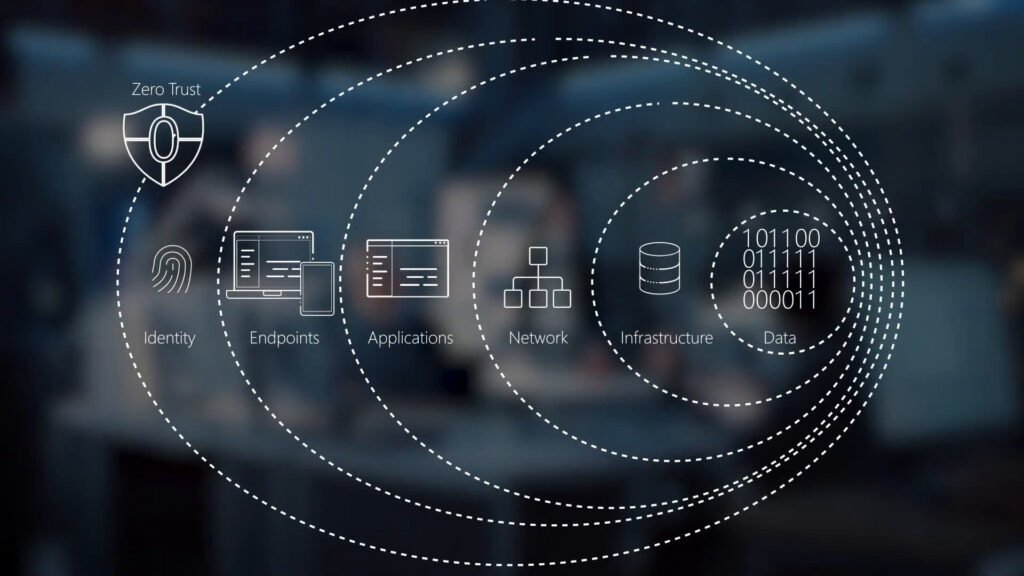
No, it’s a holistic strategy covering identity, devices, networks, applications, and data. Network controls are just one piece of the puzzle.
5. What is the difference between ZTNA and VPN?
A VPN grants access to the entire network, like giving someone a key to the office building. ZTNA grants access only to specific approved applications, like escorting a visitor directly to the one conference room they need.
6. How does Zero Trust help with remote work security?
It secures access based on user identity and device health, not network location. This allows employees to work securely from home, a café, or anywhere without needing to “tunnel” into a corporate network.
7. What is the first step in implementing Zero Trust?
The first step is always identification. You must discover and classify your critical data, assets, applications, and services (your “protect surface”). You can’t protect what you don’t know you have.
8. Is Multi-Factor Authentication (MFA) required for Zero Trust?
Absolutely yes. MFA is the most critical and basic control for verifying identity. A Zero Trust model cannot exist without strong authentication.
9. What is microsegmentation?
It’s the practice of dividing a computer network into small, isolated segments to control and secure traffic between them, preventing threats from spreading.
10. How does “assume breach” improve security?
It changes the focus from solely preventing entry to also limiting damage. By planning for a breach, you build controls (like segmentation and least privilege) that contain an attacker, making their success short-lived and less damaging.
11. Can I implement Zero Trust with my existing firewall and antivirus?
Yes, but they are not sufficient alone. Zero Trust requires additional layers like IAM, endpoint protection with posture check, and policy engines. Existing tools become components within the larger architecture.
12. Does Zero Trust make user access more difficult?
Initially, it may add a step (like MFA). However, well-implemented Zero Trust can improve the user experience by providing fast, direct access to needed apps without the complexity and slowness of traditional VPNs.
13. What is a Software-Defined Perimeter (SDP)?
SDP is a technology that creates an invisible, dynamic network where connections are only formed after the user and device are authenticated and authorized. It’s a key method for implementing ZTNA and microsegmentation.
14. How does Zero Trust relate to compliance (GDPR, HIPAA)?
It directly supports compliance. Regulations require protecting sensitive data and controlling access. Zero Trust’s least privilege, logging, and data-centric controls provide a framework to meet these requirements demonstrably.
15. What is the role of AI in Zero Trust?
AI enhances Zero Trust by enabling continuous verification through behavioral analytics (UEBA), automating policy enforcement, and providing dynamic risk scoring for access requests in real-time.
16. Is Zero Trust expensive to implement?
Costs vary. While a full suite of enterprise tools is an investment, starting with foundational, high-impact steps like enforcing MFA and cleaning up user permissions has a low cost and high ROI. Cloud-based services also lower the barrier to entry.
17. What is “least privilege access”?
Granting users only the permissions they absolutely need to perform their job—no more, no less. For example, an accountant doesn’t need access to the source code repository.
18. How long does it take to implement Zero Trust?
It’s a multi-year journey for most enterprises. A common approach is a 3-5 year phased plan, starting with pilot projects for critical applications and expanding outward.
19. Can Zero Trust prevent phishing attacks?
It significantly reduces their impact. Even if a user clicks a phishing link and gives up credentials, MFA and device posture checks (part of Zero Trust) will likely block the attacker from accessing critical systems with those stolen credentials.
20. What’s the difference between Zero Trust and SASE?
Zero Trust is the security philosophy. SASE is a cloud architecture that delivers a suite of security and networking capabilities (including Zero Trust Network Access) as a unified service.
21. Does Zero Trust apply to IoT devices?
Yes, critically so. IoT devices are often insecure. Zero Trust mandates that they must be identified, their health/posture assessed, and they should only communicate with the specific services they need via microsegmentation policies.
22. What are the biggest challenges in adopting Zero Trust?
Cultural resistance (“we’ve always done it this way”), complexity of inventorying assets and data flows, integrating legacy systems, and the need for cross-departmental collaboration (IT, security, operations).
23. How do I measure the success of a Zero Trust implementation?
Key metrics include: reduction in lateral movement incidents, decreased mean time to detect/respond (MTTD/MTTR), reduction in the number of users with excessive privileges, and fewer successful phishing-based account compromises.
24. Can small businesses implement Zero Trust?
Yes. The journey looks different. An SMB can start by: 1) Enforcing MFA on all cloud apps, 2) Using a cloud-based ZTNA service for remote access, 3) Implementing basic network segmentation (e.g., separating guest Wi-Fi from business network).
25. Where can I learn more about practical implementation frameworks?
Refer to established frameworks like NIST SP 800-207 (Zero Trust Architecture) and CISA’s Zero Trust Maturity Model. For broader strategic insights on managing complex system-wide changes, resources like those from Sherakat Network can provide valuable context.
About The Author